Persistent Reminders for iPhone
Never miss the things that matter.
It won't let you forget.
Keeps nudging until it is done.
Persistent Reminders for iPhone
It won't let you forget.
Keeps nudging until it is done.
Most apps remind you once.
Oya reminds you until you’re done.
Highlights
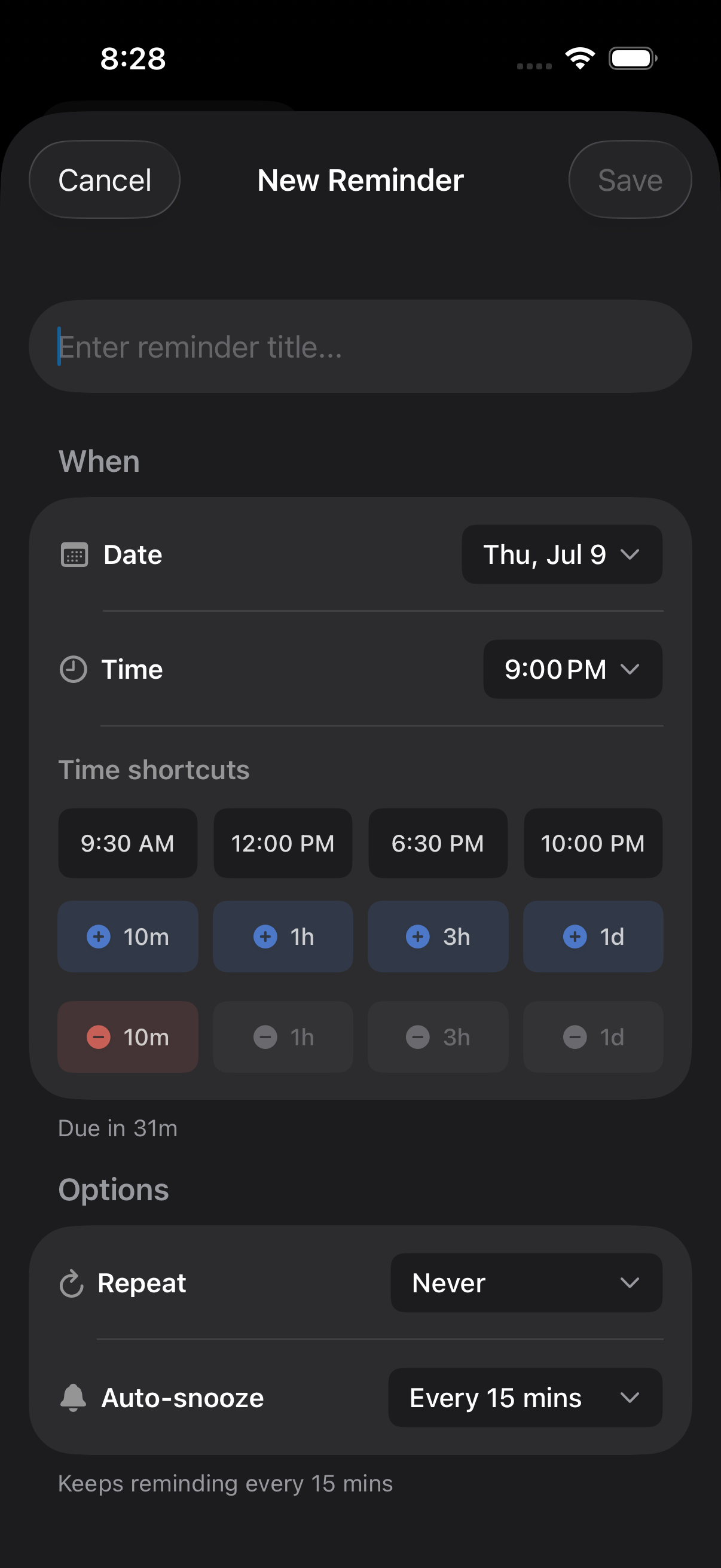
Nudges every 1–60 minutes until done.
Type naturally — Oya parses it.
On-device. No cloud. No account.
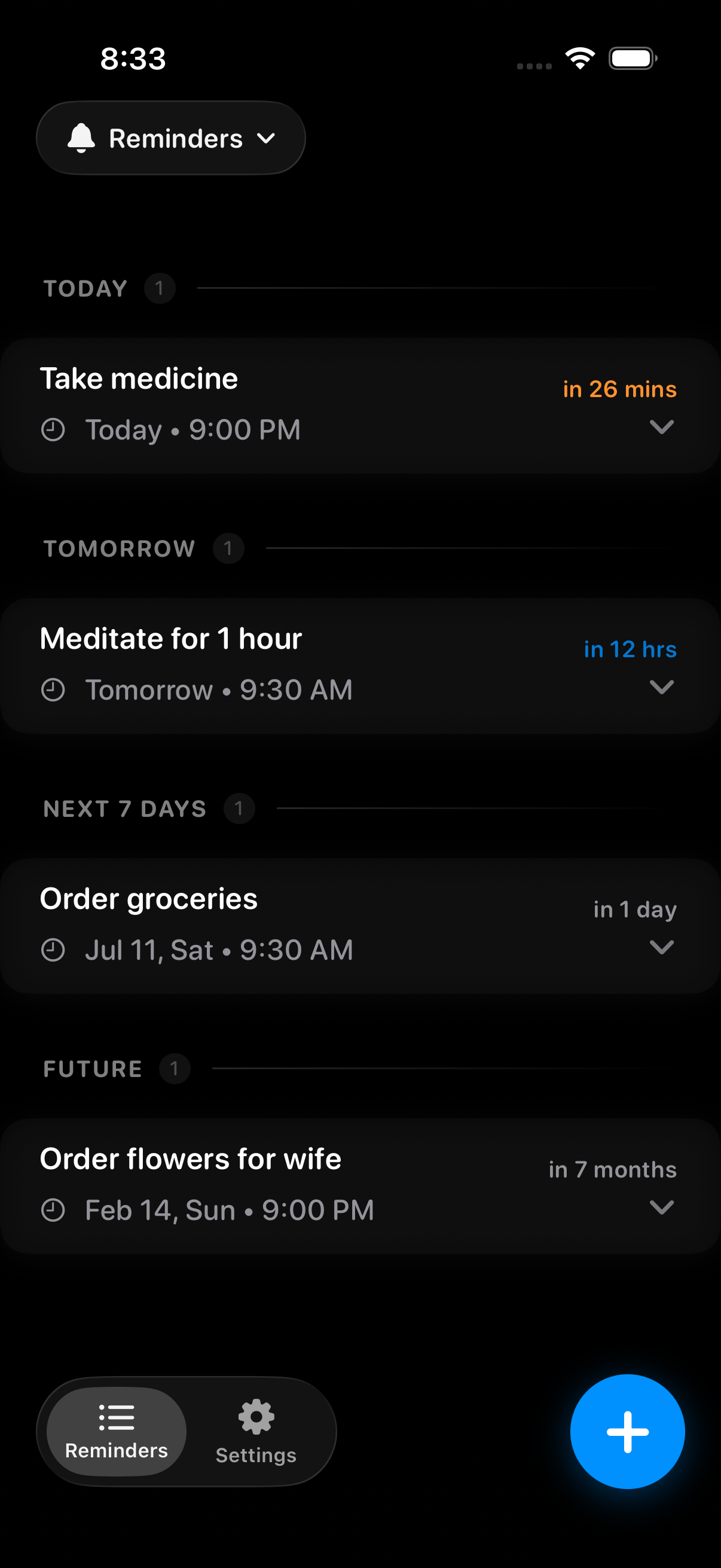
Daily, weekly, monthly — auto-resets after every done.
Who It’s For
Set a tight interval and Oya keeps reminding — every 5 minutes if you want — until you’ve confirmed you’ve taken it.
You don’t forget on purpose — you just need something that won’t give up on you. Oya won’t.
Oya keeps the pressure on exactly as long as you need. No judgment. Just results.
Auto-Snooze
Set your interval — 1 minute to an hour — and Oya keeps nudging until you mark it done. Phone locked? App closed? Doesn’t matter. Every nudge is scheduled with iOS itself, so the reminders keep coming without the app running — and without touching your battery.
Forgot your medication? Set a 5-minute interval and Oya keeps reminding every 5 minutes until you’ve taken it.
Smart Input
Type naturally — “call mom tomorrow at 9am” or “pay rent next Friday every month.” Oya parses the date, time, and recurrence automatically.
Prefer to tap? Time shortcuts set tonight, tomorrow morning, or +1 hour in a single tap — and how often Oya nags you is right there on the same card.
nudges until you’re done —
locked phone or not, it doesn’t stop
fastest nag interval —
for when it really can’t wait
required — no sign-in,
no cloud, no tracking ever
How It Works
Use plain language — “take medication daily at 8am” or “call dentist tomorrow.” Oya parses the intent automatically.
Pick how often Oya nudges you after the due time. Every minute for medications. Every hour for low-stakes tasks. It’s your call.
Stop carrying it in your head. Oya schedules its nudges hours ahead with iOS itself, so you’re covered even when the app is closed and your screen is locked.
Tap the notification or swipe complete — nudges stop instantly. Recurring reminders auto-reset for next time.
Zero Friction
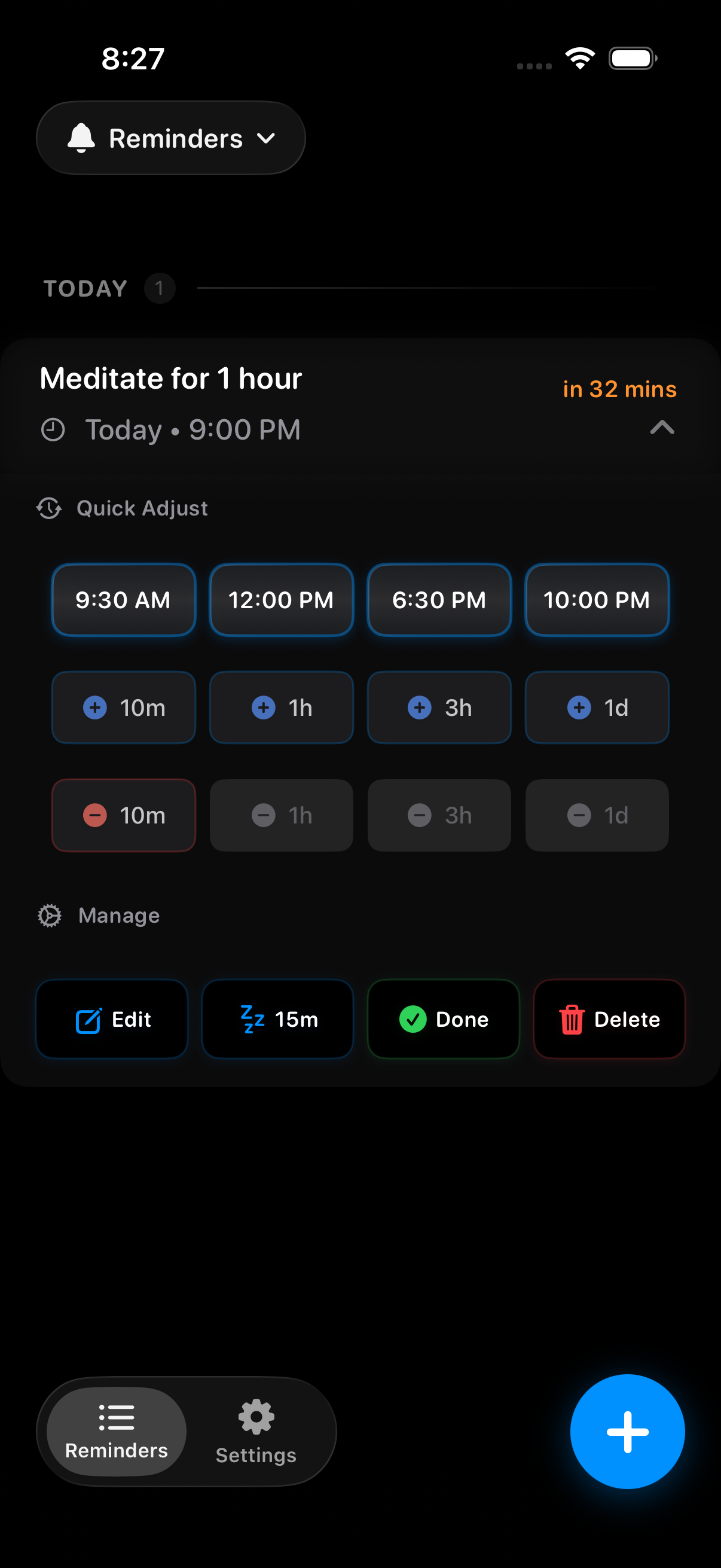
Most apps drop you on their home screen and make you hunt for the reminder. Oya opens directly to it — already expanded, already in action mode. Snooze right from the lock screen without opening the app, or tap in to quick-adjust the time, mark done, or delete — all from one screen.
Features
Without opening the app — snooze for 10 minutes, an hour, a day, or more, straight from the lock screen.
Swiped the wrong reminder? A toast appears with one-tap undo — complete, delete, or reactivate.
The app icon badge shows your overdue count — a constant, quiet cue on your home screen.
No account. No cloud. No tracking. Your reminders live only on your iPhone.
Why Oya
| Oya | Apple Reminders | Other reminder apps | |
|---|---|---|---|
| Keeps nudging after the due time — until done | ✓ | − | Some |
| Nag interval you control, down to 1 minute | ✓ | − | Some |
| Snooze from the notification — no app needed | ✓ | − | Some |
| Natural-language input | ✓ | Partial | Some |
| No account required | ✓ | Apple ID | Varies |
| 100% on-device — no cloud, no tracking | ✓ | iCloud | Rarely |
| App badge shows your overdue count | ✓ | − | Some |
| Instant undo on swipe | ✓ | − | Rarely |
Private by design. Everything stays on your device — no account, no cloud, no tracking. Local notifications only.
FAQ
Yes. Every nudge is scheduled ahead of time with iOS itself, so notifications keep arriving with the app closed, the screen locked, or the phone untouched in your pocket. Oya doesn’t need to be running to nag you.
Oya’s nudges use iOS’s Time Sensitive interruption level, so they can come through Focus modes when you allow Time Sensitive notifications for Oya (iOS asks you once). Like every app, Oya can’t override the physical mute switch — you’ll still see the banner and feel the vibration.
It comes back — at whatever interval you chose, from every minute to every hour. It keeps coming back until you mark it done or snooze it to a better time. That’s the whole point.
No. Oya doesn’t poll in the background, track your location, or talk to a server. Nudges are ordinary iOS local notifications, scheduled in advance — the same mechanism as your alarm clock.
No. No sign-up, no email, no cloud. Your reminders live only on your device — which also means there’s nothing to leak, sell, or breach.
No ads, no data harvesting, no investors — your subscription is the only thing that funds Oya, and it funds what’s next. It keeps Oya working as iOS rewrites its notification rules every year (so your reminders never quietly stop firing), and it pays for the new features, refinements, and polish that keep shipping. Subscribers are the reason Oya keeps getting better instead of standing still. Try it free for 7 days; if it’s not for you, cancel in Settings and pay nothing.
Oya — Persistent Reminders
Free for 7 days. Cancel anytime in Settings — pay nothing.